
Nigerian Scam Resources:

-

Origin Of Scam
Introduced by Nigerian petroleum companies and criminal gangs in the 1970s or 1980s. -

History of Scam
The 419 scam was originated during 1990s as the oil-based economy. -

Features Of Scam
This book is a work of spoof, written to representation and scoff at charlatans and scamming. -

Missions of Nigerian Scam
The process of spamming happens in a tricky and hidden manner. -
Scam Books
The fact about safeguarding your money, wellbeing, and status. -

Nigerian Scammers
A great team of experts enthusiastic to the detect scammer mail. -
Anti-Scam Organisation
A lot of organizations are working against from scam in the world.









Nigerian Scammers

- Nigerian scammers
- Nigerian Dating Scammers
- lottery scammers
- Scammer Database
- 419 scammers
- Internet dating scams
- Russian scammers

The Aftermath of Scams

The devastating impact of scams can lead individuals to take extreme measures. Some victims, driven by a quest for justice or restitution, have engaged private investigators or even personally ventured to Nigeria. Their endeavors, unfortunately, don't always end well. One U.S. citizen tragically lost his life in Nigeria while trying to recover his funds. In a particularly distressing incident from February 2003, a scam victim from the Czech Republic, pushed to the brink, committed a fatal shooting at the Nigerian embassy.
]Scam Research
Scam Terms

- World Wide Scam
- Nigerian 4-1-9 Scam
- African Scumsters
- Nigeria to tackle e-mail scams
- Advance Fee Fraud
]Addressing Unwanted Scam Emails
]Understanding the 419 Nigerian Scam
]Methods of Scam Baiting
]Latest Scam Awareness Books
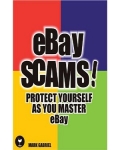


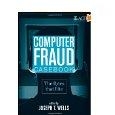
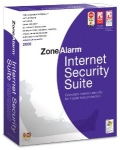
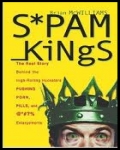
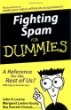
Nigerianspam.com is dedicated to all the hardworking people who have been scammed by the spammer or 419 scam frauds. Although our site concentrates on providing awareness of Nigerian 419 spam (scam), scam baiting, advance fee fraud, scam phising, also we deal with other types of fraud such as letter spam, e-mail scam, lottery spam as well. You can go through our scam baiting tips, it is just amazing way to deal with the spammer or scammer.
Nigerianspam.com: Navigating the Digital Landscape to Outsmart Today's Scammers
Nigerianspam.com: A Beacon of Light in the Fight Against Online Scams
In today's digital age, with rapid advancements in technology and the explosion of internet users worldwide, the arena for online scams and frauds has disturbingly expanded. Amidst this chaos, websites like Nigerianspam.com emerge as pillars of awareness and prevention, championing the cause of educating and safeguarding innocent netizens against the dark side of the internet.
The Pervasive Scourge of Online Scams and Spam Emails from Nigeria
Annually, innumerable individuals, both informed and uninformed, become victims of the devious tactics employed by online scammers. Many recognize the infamous Nigerian 419 scams, but a vast majority remain unaware of the plethora of other junk/spam emails from Nigeria and the spam websites from Nigeria. These range from deceptive lottery scams to intricate phishing endeavors. With each passing year, these deceitful tactics transform, growing in complexity and becoming increasingly challenging to identify and combat.
Origins and Mission of Nigerianspam.com and 419 Scam.org
Conceived from a pressing need to combat online fraud, Nigerianspam.com and its counterpart, 419 scam.org, have risen with a mission to empower internet users with crucial knowledge. Recognizing that informed awareness serves as the primary shield against these scams, both websites have committed themselves to disseminating knowledge about different deceptive tactics, understanding the mindset of scammers, and staying updated with the latest deceptive trends.
The platforms pay tribute to the tenacity and spirit of Nigerian scam victims who have been deceived by these online predators. Beyond just sharing their experiences, the websites provide victims a space to learn, heal, and perhaps, with newfound wisdom, even challenge and outsmart their would-be scammers.
Delving into the Nuances of the 419 Nigerian Scam and its Categories
Originating from the Nigerian penal code, the term "419" distinctly relates to fraud, marking the category under which such deceptive practices fall. Historically, the most well-known form of the 419 scam involved receiving an email from an alleged Nigerian prince, seeking assistance in transferring a substantial sum of money with the allure of a sizable reward in return. However, in the ever-evolving digital realm, this 419 scam has transformed and branched out, spawning various forms and narratives, including the notorious 419 contract scams.
On platforms like Nigerianspam.com, users can navigate the intricate labyrinth of online scams, especially those falling under the 419 scam category. Here, they can deepen their understanding of various deceptive tactics, ranging from the rudimentary advance-fee fraud to the more complex lottery and phishing schemes.
Baiting the Scammer: Turning the Tables
Nigerianspam.com brings to light the intriguing world of scam baiting, showcasing it as both a defense mechanism and a counter-attack strategy. Here's what they offer: To learn more about the Scam Baiting Techniques, visit Check Scam Baiting Techniques.
Innovative Approach
Art Meets Strategy
Guidance for All
Success Stories
More than Just Awareness
One of the prime attractions of Nigerianspam.com is its dedicated section on scam baiting. This method not only engages the scammer but also cleverly misleads them, ensuring they waste their efforts on a well-informed baiter instead of a potential victim.
Scam baiting isn't just about playing the fool; it's a delicate balance of acting and strategic thinking. With the scammer always on the lookout for signs of suspicion, the baiter has to be on their toes at all times.
Whether you're new to the game or have been baiting scammers for years, the website offers a plethora of tips and tricks tailored to all levels of experience.
Delve into captivating tales of triumph where baiters have successfully outsmarted even the most crafty of scammers, serving as inspiration and proof of the effectiveness of baiting techniques.
What elevates Nigerianspam.com from merely being an informative platform is its thriving community. It serves as a sanctuary for those who've been ensnared by online scams and frauds, offering them a space to recount their tales, seek comfort, and attain guidance on online scams in cyber security.
The forum sections bustle with activity, featuring discussions that span from individual scam news stories, online scams complaints, prevention methodologies, to the latest updates on cyber scams. Witnessing previous victims transform into fervent advocates for scam prevention is truly uplifting. Their shared experiences and insights are invaluable for novices trying to steer clear of the perilous depths of cyber fraud.
The Digital Battlefront: Rising Against Online Scams with Nigerianspam.com
The vastness of the digital universe is an ever-growing expanse, mirrored by the escalating threats of online scams and deceptions. Yet, amid the shadowy corners of the internet, platforms like Nigerianspam.com emerge as beacons of hope. The essence of the site resonates with the enduring spirit of communal vigilance and proactive measures. It reinforces the concept that, while technology can be wielded to mislead, it equally has the immense power to educate, shield, and consolidate.
In our collective confrontation against online deceptions, three components remain paramount: knowledge, watchfulness, and unity. Through Nigerianspam.com, these core elements converge, constructing an impregnable citadel of security and advocacy for the global community of internet users.
At Nigerianspam.com, we are the frontline of defense, ensuring you remain informed and vigilant. Together, we aren't just exposing scams; we're ensuring they have no shadows to hide within.
Nigerian Scam | 419 Scam | Features of Scam | Mission | Research | Mail Archives | About Us | File A Complaint | Spam News | Origin Of Scam | Operation Of Scam | Consequences | Miscellaneous Scams | Scam Sites | FAQ | Contact Us | Scam Resources Links | Nigerian Scammers | Site Map | Mail Archives SiteMap | Scam Glossary | Scam Resources Books | Scam Checker Tool | Scam baiting | More Scam Sites | Scam Awareness Quiz | Celebrity Scam | Search Engine Genie | Bharat Udyog Ratna Award Scam Alert |